
Guide
Keep every certificate of destruction in one place
Once you are wiping drives regularly, the certificates start piling up: some on the machine you ran the app from, some on USB sticks, some collected from network-booted machines. ProofWipe's certificate database pulls them all into one searchable place, checks that each one is genuine, and lets you export a clean report for a client or an auditor. It is a Business-tier feature. Here is how it works.
What it is for
The database answers the questions you get asked when you dispose of equipment for other people. Show me proof this batch of drives was wiped. Find the certificate for this specific serial number. Give me one report covering everything you did for us this quarter. Instead of digging through folders, you have every certificate indexed, verified, and exportable.
Importantly, it never changes your certificates. It only reads and indexes them; the original certificate and log files stay exactly as they were, which is what keeps them trustworthy.
Point it at your certificates
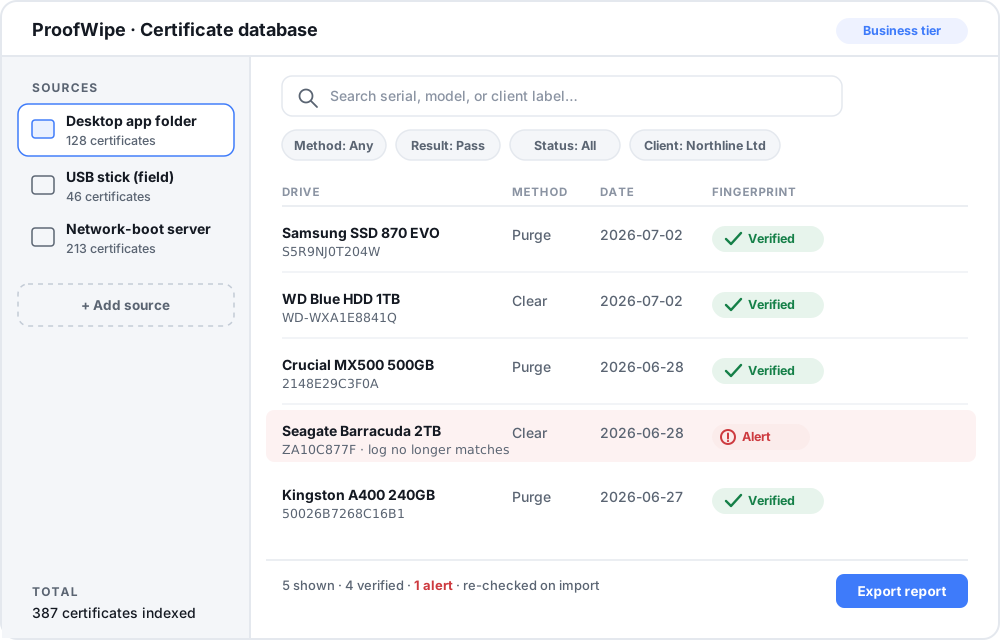
Open the certificate database from the main window (it is available on the Business tier). Add the places your certificates live as sources: the folder the desktop app saves to, a USB stick you carry between machines, and the folder where a ProofWipe network-boot server collects certificates. ProofWipe scans them and builds the index. You can add more sources any time and rescan.
Every certificate is re-verified
As it imports each certificate, ProofWipe recomputes its tamper-evident fingerprint, the same check anyone can run at proofwipe.com/verify. Each entry is marked with its status, so you can see at a glance that everything is genuine. If a certificate has been altered, is corrupt, or its log no longer matches its fingerprint, it is flagged as an alert rather than quietly listed as fine. That means the database is not just a filing cabinet, it is a continuous integrity check on your records.
Find what you need
Search and filter across everything: by serial number or drive model, by date range, by method (Clear or Purge), by result, or by verification status. Group certificates into per-client or per-batch sets with your own labels, so a job for one customer stays together. The labels live only in the database, nothing is written back beside the original files.
Export a report
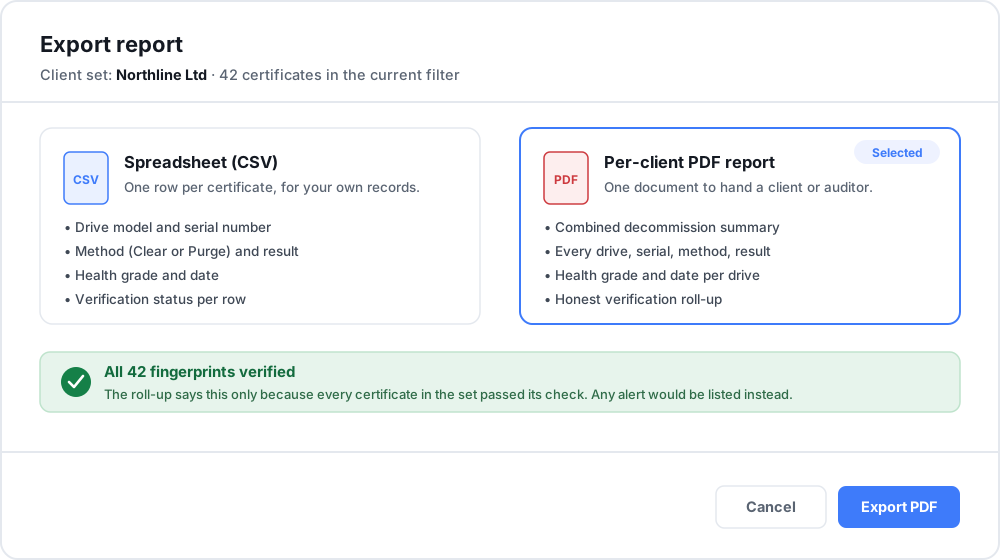
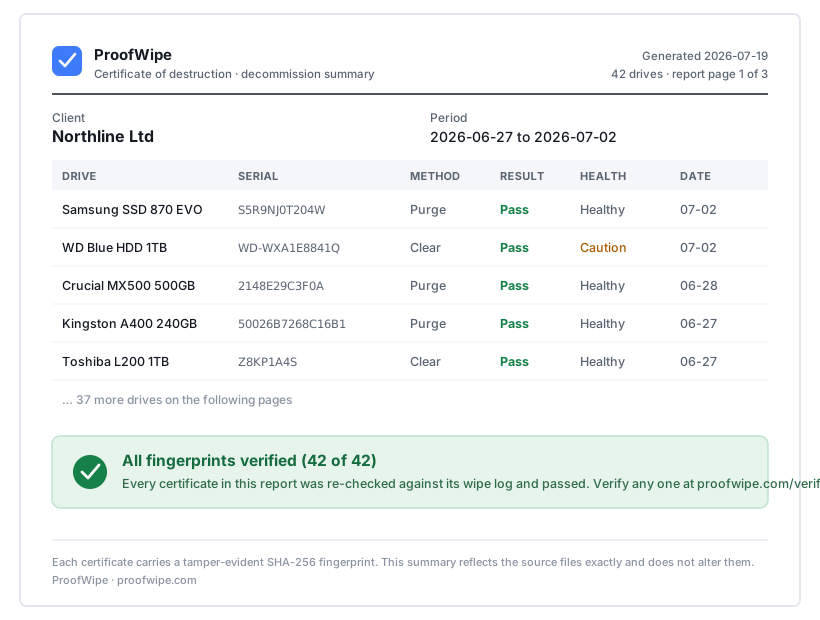
When someone needs proof, export the filtered set. A CSV gives you every certificate as a row for your own records or a spreadsheet. A combined PDF gives you a clean per-client decommission summary listing each drive, its serial, the method, the result, the health grade, and the date, with an honest roll-up that says all fingerprints verified only when that is actually true. That PDF is the single document you hand a client or an auditor to show a batch of equipment was properly and verifiably sanitized.
Why it matters
For a business disposing of client or employee data, the wipe is only half the job; being able to produce the proof, on demand and verified, is the other half. The certificate database turns a scattered pile of files into a record you can stand behind and search in seconds. Get ProofWipe at proofwipe.com, and see what a certificate should contain in our guide to certificates of data destruction.
Common questions
Does the certificate database change my certificate files? No. It only reads and indexes them; the original files are never modified.
How does it know a certificate is genuine? On import it recomputes each certificate's tamper-evident fingerprint, the same check anyone can run at proofwipe.com/verify, and flags any that fail.
What can I export? A CSV of every certificate, and a combined per-client PDF report listing each drive, serial, method, result, health grade, and date, with an honest roll-up that only says all fingerprints verified when that is true.